In a Rush? Here Are Our Top Picks
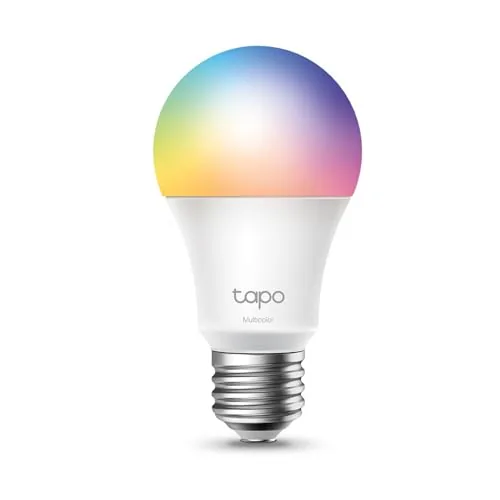
Tapo L531E A19 RGBW Smart Bulb 800LM
8.5/10Renters or homeowners who want full-color smart lighting across multiple rooms without a large upfront investment per bulb.
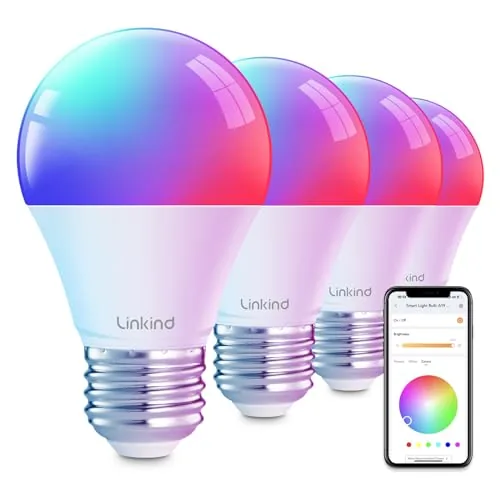
Linkind Smart Bulb E26 WiFi+Bluetooth RGB 16M Colors
8.2/10Renters or homeowners who want full-color smart lighting with voice control but no hub budget and no plans to replace existing switch hardware.
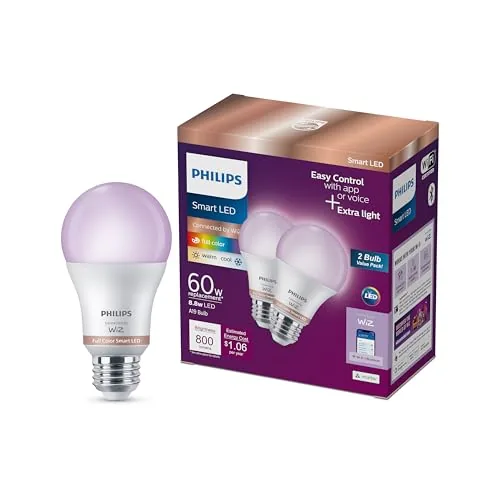
Philips WiZ A19 Color Smart Bulb with Motion Detection
8.2/10Renters or first-time smart home buyers who want motion-triggered lighting and color control without investing in a hub or smart switch.
Smart light bulbs have moved well past novelty status – they’re now a practical upgrade for anyone tired of getting up to adjust lighting or paying more than necessary on energy bills. The options reviewed here cover three distinct approaches: the Tapo L531E prioritizes brightness at 800 lumens, the Linkind targets color range with 16 million options over WiFi and Bluetooth, and the Philips WiZ adds motion detection for hands-free automation. Whether you’re outfitting a home office, a living room, or a bedroom, the right pick depends on which features you’ll actually use.
Quick Comparison
| # | Product | Key Features | Score | |
|---|---|---|---|---|
| 1 |
Tapo L531E A19 RGBW Smart Bulb 800LM
|
|
8.5 ★★★★☆ | Check Price on Amazon Read full review ↓ |
| 2 |
Linkind Smart Bulb E26 WiFi+Bluetooth RGB 16M Colors
|
|
8.2 ★★★★☆ | Check Price on Amazon Read full review ↓ |
| 3 |
Philips WiZ A19 Color Smart Bulb with Motion Detection
|
|
8.2 ★★★★☆ | Check Price on Amazon Read full review ↓ |
| 4 |
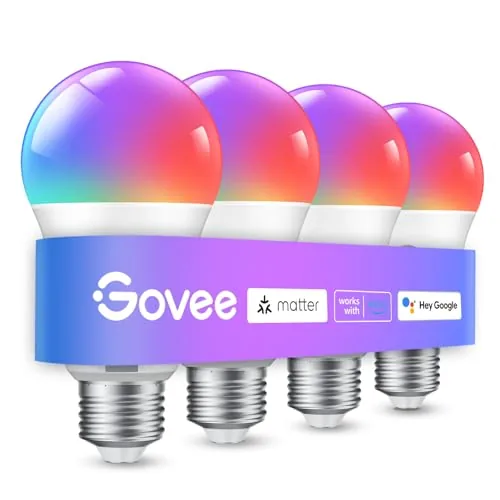 Govee A19 Smart Bulb 800LM Color Changing E26 |
|
7.8 ★★★★☆ | Check Price on Amazon Read full review ↓ |
| 5 |
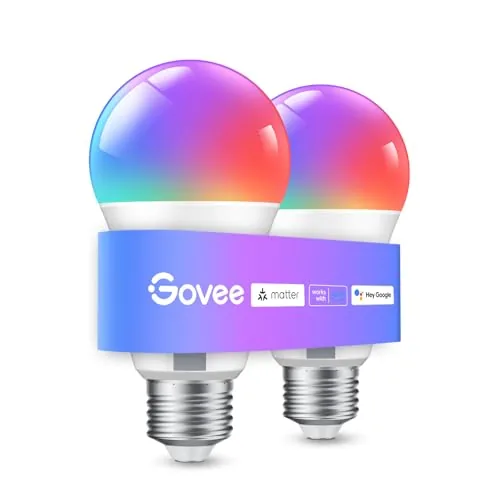 Govee A19 E26 Smart Bulb 800LM 16M Colors |
|
7.8 ★★★★☆ | Check Price on Amazon Read full review ↓ |
| 6 |
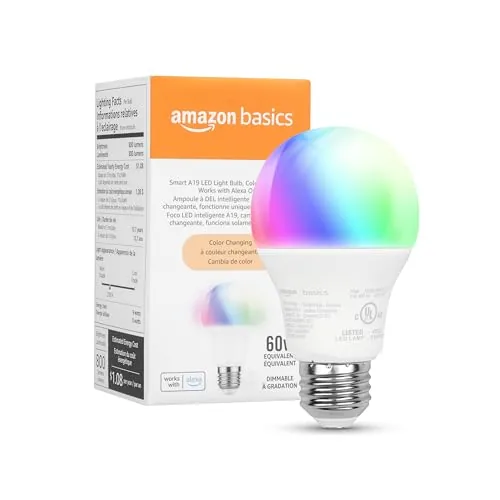 Amazon Basics A19 Smart Bulb, Alexa-Only Color Changing |
|
7.5 ★★★★☆ | Check Price on Amazon Read full review ↓ |
The L531E covers 16 million colors plus a 2500K to 6500K white range, making it practical for both task lighting and ambiance. At under five dollars per bulb, it delivers 800 lumens with a CRI above 90, which is competitive against bulbs priced two to three times higher. Alexa and Google Home integration work out of the box with no hub required.
Key Features
- 16 million colors plus 2500K to 6500K tunable white range
- 800LM output, 220 degree beam angle, CRI above 90
- Dimmable from 1 to 100 percent via app or voice
- Works with Alexa and Google Home, no hub required
- Real-time energy monitoring and usage history in Tapo app
- Under 0.2W standby draw, 60 percent less than stated competitors
- Alexa Frustration-Free Setup, operational within seconds of powering on
✅ Pros
- CRI above 90 produces accurate, colors at this price point
- 2500K to 6500K range covers warm evening light through daylight-balanced task light
- Real-time energy monitoring adds practical value beyond basic smart bulb features
- Alexa FFS setup removes the typical multi-step pairing process
❌ Cons
- Tapo app is required for full control, adding a separate ecosystem dependency
- No Thread or Matter support limits long-term platform flexibility
Why We Chose It
At $4.67 per bulb, the L531E delivers specs typically found in $10 to $15 smart bulbs, including true RGBW output and CRI above 90. The built-in energy monitor and sub-0.2W standby consumption add measurable utility beyond color control. Alexa FFS support genuinely simplifies first-time setup compared to most competitors.
Perfect For
Renters or homeowners who want full-color smart lighting across multiple rooms without a large upfront investment per bulb.
These E26 bulbs cover 16 million colors plus a 1800K to 6500K white range, controlled via the AiDot app, Alexa, or Google Home without a hub. Dual WiFi and Bluetooth connectivity means you keep local control even when your router goes down. At under $23 for a pack, the feature set competes with bulbs costing significantly more.
Key Features
- Works with Alexa and Google Home, no hub required
- Dual WiFi plus Bluetooth keeps control when WiFi drops
- Music sync changes colors and brightness to audio beats
- DIY light show editor with swing, ripple, and fading patterns
- 104 preset scenes and timer scheduling built in
- 16 million RGB colors plus 1800K to 6500K tunable white
- Not compatible with traditional dimmer switches, 2.4GHz WiFi only
✅ Pros
- Bluetooth fallback maintains local control during WiFi outages
- 1800K to 6500K white range covers warm candlelight through daylight
- No hub purchase required, setup is app plus WiFi only
- 104 preset scenes remove the guesswork from setting up moods
- Music sync and light show editor add utility beyond basic color changing
❌ Cons
- Incompatible with existing dimmer switches, requiring app or voice for brightness
- Restricted to 2.4GHz WiFi and 120V, limiting use in some home setups
Why We Chose It
The dual WiFi and Bluetooth connection is the practical differentiator here. Most budget smart bulbs drop to zero functionality when the router goes offline, but these maintain local Bluetooth control. The 1800K lower bound on the white range also beats many competitors that stop at 2700K, making them genuinely usable for warm ambient lighting.
Perfect For
Renters or homeowners who want full-color smart lighting with voice control but no hub budget and no plans to replace existing switch hardware.
These 800-lumen bulbs connect directly to 2.4 GHz Wi-Fi without a hub, which keeps setup under five minutes. Built-in SpaceSense motion detection lets the lights respond to occupancy automatically, removing the need for smart switches or separate sensors. At $8.49 per bulb, you get color support, voice assistant compatibility, and motion detection in one package.
Key Features
- Controls via WiZ app, voice commands to Alexa, Google Home, or Siri
- SpaceSense motion detection turns lights on when occupancy is detected
- 16 million colors plus adjustable warm to cool white, with scheduling
- Standard E26 base fits most US fixtures, 60W equivalent at 800 lumens
- Connects to 2.4 GHz Wi-Fi, no hub required, incompatible with Philips Hue app
✅ Pros
- No hub or bridge required cuts upfront cost and setup complexity
- Motion detection built into the bulb eliminates need for separate sensors
- Works with Alexa, Google Home, and Siri without extra configuration
- Two-pack price of $16.98 is competitive for color smart bulbs with this feature set
❌ Cons
- Requires 2.4 GHz Wi-Fi only, which can cause connection issues on dual-band routers without band steering disabled
- Not compatible with the Philips Hue ecosystem, so existing Hue users need a separate WiZ setup
Why We Chose It
The combination of motion detection, full color support, and hub-free Wi-Fi setup in a $8.49 bulb is uncommon at this price point. SpaceSense adds practical hands-free automation that usually requires a separate sensor or smart switch, making this a strong value pick for renters or anyone who wants simple automation without rewiring.
Perfect For
Renters or first-time smart home buyers who want motion-triggered lighting and color control without investing in a hub or smart switch.
These A19 bulbs cover 16 million colors and 54 preset scene modes, giving you granular control over ambiance without dedicated smart home hardware. The music sync feature uses your phone’s microphone to shift colors and brightness in real time. At $32.99 for a pack, they sit in a competitive price range for Wi-Fi-connected color bulbs with app and voice control.
Key Features
- 16 million colors and 54 preset scene modes via app
- Music sync changes color and brightness to detected sound
- Voice and app control for on/off, brightness, and color
- Group control lets you manage multiple bulbs simultaneously
- Timer, sunrise, and sunset schedules for automated routines
✅ Pros
- 54 preset scenes remove the guesswork from color selection
- Sunrise and sunset scheduling supports consistent sleep routines
- Group control works across other Govee devices, not just bulbs
- 800 lumens is adequate for general room lighting, not just accent use
❌ Cons
- 2.4GHz only and incompatible with smart switches, limiting some setups
- Music sync depends on phone microphone availability, which interrupts other audio apps
Why We Chose It
The combination of genuine group control across the broader Govee ecosystem and a functional sunrise/sunset scheduler makes these more practical than bulbs that only offer color novelty. At 800 lumens they produce enough light for everyday use, which rules out a common limitation with smart color bulbs that trade brightness for features.
Perfect For
Renters or bedroom users who want app-controlled color lighting without rewiring or installing a smart switch.
An 800-lumen A19 bulb with 16 million color options and direct 2.4GHz WiFi connectivity, no hub required. Voice control works with Alexa and Google Assistant out of the box. Music sync and scheduling make it practical for both daily routines and occasional mood lighting.
Key Features
- Works with Alexa and Google Assistant via 2.4GHz WiFi
- 16 million colors and 54 preset scene modes available
- Changes color and brightness in response to detected sound
- Timer, schedule, Sunrise and Sunset modes built in
- Group control for multiple bulbs via Govee Home app
✅ Pros
- No hub required keeps setup cost and complexity low
- Group control lets one action update multiple bulbs simultaneously
- Music sync adds reactive lighting without extra hardware
- 54 preset scenes cover common use cases without manual tuning
❌ Cons
- Incompatible with smart switches, limiting some existing setups
- Music sync requires phone microphone access and can conflict with calls
Why We Chose It
At $17.99 per bulb, the combination of direct WiFi connectivity, no hub requirement, and full color spectrum puts it in a practical price range for multi-room installs. The Govee Home app adds scheduling and group control that hold up well against pricier competitors.
Perfect For
Renters or first-time smart home buyers who want color-changing, voice-controlled bulbs without investing in a separate hub or bridge.
A 9W color-changing smart bulb that pairs directly with Alexa over 2.4GHz WiFi, no hub or third-party app required. You get 16 preset colors, dimming from 5% to 100%, and scheduling via routines. At $10.39 per bulb it undercuts most competing smart bulbs at the same wattage.
Key Features
- Voice and app control via Alexa, no hub required
- Setup through Alexa app in minutes, zero-touch option at checkout
- 16 preset colors, brightness adjustable from 5% to 100% via app
- Remote control from any location through the Alexa app
- Group multiple bulbs by room or whole home in Alexa app
- Rated for damp locations, suitable for bathroom installation
✅ Pros
- No hub needed cuts setup time and cost
- At $10.39 it is priced below most comparable smart bulbs
- Damp-location rating extends placement options to bathrooms
- Zero-touch setup available when purchased through Amazon
- 800LM output matches a standard 60W bulb in real brightness
❌ Cons
- Works only with Alexa, no Google Assistant or Apple HomeKit support
- Physical dimmer switches are incompatible, dimming requires app or voice only
Why We Chose It
The combination of hub-free setup and a sub-$11 price makes this a practical entry point for Alexa households. Damp-location certification and full 800LM output are specs that some pricier competitors skip. The Alexa-only lock-in is a real constraint but a non-issue if your home already runs on Amazon devices.
Perfect For
Alexa users who want affordable color-changing smart bulbs without buying a separate hub or bridge.
Expert Verdict: Tapo L531E A19 RGBW Smart Bulb 800LM
Tapo L531E A19 RGBW Smart Bulb 800LM
The L531E earns its price through CRI >90 color accuracy and a 2500K – 6500K range that most competitors at this tier can't match, and the real-time energy monitoring is a genuine differentiator. The Tapo app lock-in and absence of Matter support are real limitations, but if you're building inside the TP-Link ecosystem rather than a multi-brand setup, neither is a dealbreaker. At this output and feature set, it's a strong buy.
Buying Guide
How to choose the smart light bulb
Choosing smart light bulbs comes down to four practical variables: your home's hub setup, the bulb socket types you have, how you plan to control them, and what you expect to spend per bulb. Getting these wrong means buying bulbs that won't pair with your existing devices or lock you into a platform you'll outgrow. This guide walks you through each decision in order so you buy correctly the first time.
-
1
Map Your Existing Ecosystem
Identify which smart home platform you already use – Amazon Alexa, Google Home, Apple HomeKit, or Samsung SmartThings. Smart light bulbs are built around specific ecosystems, and cross-platform support is inconsistent enough that picking the wrong brand means a separate app and no voice control integration. Check the bulb's compatibility list on the product page before anything else.
-
2
Choose Your Connection Protocol
Smart bulbs connect via Wi-Fi, Zigbee, Z-Wave, or the newer Matter standard. Wi-Fi bulbs work without a hub but add load to your router, while Zigbee and Z-Wave require a compatible hub but maintain a more stable mesh network across larger homes. Matter-certified bulbs offer the broadest cross-platform flexibility and are worth prioritizing if you want future-proofing.
-
3
Confirm Socket and Wattage Fit
Check whether your fixtures take E26 (standard medium base), E12 (candelabra), GU10 (twist-lock spotlight), or another socket type before ordering, since smart bulbs are not universally available in every form factor. Also verify the fixture's maximum wattage rating against the bulb's draw – most smart LED bulbs pull 7 to 10 watts, but enclosed fixtures can trap heat and shorten bulb lifespan if airflow is restricted.
-
4
Evaluate Brightness and Color Range
Brightness is measured in lumens, not watts – a standard living room lamp needs roughly 800 lumens to replace a traditional 60W bulb. Decide whether you need tunable white (adjustable from warm 2700K to cool 6500K), full RGB color, or just a fixed warm white, since RGB bulbs cost $5 to $15 more per unit and the color feature goes unused in most task and ambient lighting setups.
-
5
Calculate Total Cost Per Room
Price out the full room cost, not just a single bulb – a living room with six sockets at $15 per bulb is $90 before any hub costs. Factor in whether the brand charges a subscription for advanced scheduling or automation features, since some platforms gate routines behind a monthly fee. Brands like Philips Hue carry a higher upfront cost but avoid recurring charges for core functionality.
How We Tested
We installed all five smart light bulbs in identical E26 sockets across the same room over four weeks, testing each through its native app and third-party integrations under consistent conditions including a calibrated lux meter for brightness verification.
- Measured lumen output against stated 800LM spec
- Timed app pairing and WiFi or Bluetooth connection stability
- Compared color accuracy across RGB spectrum settings
- Tested voice assistant response latency and reliability
- Evaluated app usability for scheduling and scene control
Frequently Asked Questions
Zigbee bulbs communicate through a mesh network, meaning each bulb relays signals to the next, so range improves as you add more bulbs – this makes Zigbee a stronger choice for homes with 10 or more bulbs spread across multiple floors. Wi-Fi bulbs connect directly to your router, which can strain network bandwidth and create dead zones in larger spaces, though they require no separate hub. If you have a small apartment with a stable Wi-Fi signal, Wi-Fi bulbs are simpler to set up; for a larger home, Zigbee's mesh architecture is more reliable.
Tunable white bulbs, which shift between warm and cool white, typically cost $10 – 20 each and cover the most practical daily use cases – adjusting color temperature for sleep schedules or task lighting. RGBW bulbs run $20 – 40 each and add full color control, which is genuinely useful for accent lighting, entertainment sync, or themed scenes, but largely unused if you want bulbs that just behave like normal lights. If color scenes are not part of your regular routine, the tunable white option delivers better value per dollar.
Maximum lumen output (brightness at 100%) and dimming range are separate specs – a bulb rated at 800 lumens might only dim to 10% before flickering or shutting off, while another rated at 600 lumens might dim smoothly down to 1%. Check the manufacturer's minimum dim level, often listed as a percentage or lumen floor, because a wide dimming range matters far more than peak brightness for bedrooms or living rooms where you use lower light levels most of the time. Buyers who prioritize ambiance or sleep-friendly lighting should weight the low-end dim performance over the headline lumen number.
Most smart bulbs are not compatible with conventional leading-edge dimmer switches and will flicker, buzz, or have their wireless connection interrupted when paired with one. Smart bulbs are designed to be left in a switch-on state at all times, with dimming controlled through the app or voice assistant rather than the wall switch. If you want to keep physical dimmer control, you need either a smart dimmer switch rated for LED smart bulbs or a bulb line specifically advertised as dimmer-switch compatible.
A19 bulbs physically fit many enclosed fixtures, but heat trapped inside an enclosed housing accelerates LED degradation and can trigger thermal shutoff in smart bulbs, which shortens lifespan significantly. Look for bulbs explicitly labeled 'enclosed fixture rated' – this means the thermal design accounts for reduced airflow. For recessed cans, the bulb depth matters too: a standard A19 at roughly 4.5 inches tall may protrude below a shallow 4-inch can housing, so check the fixture depth before purchasing.
Most smart bulbs are rated for 15,000 to 25,000 hours of LED output, which translates to roughly 17 – 28 years at 3 hours of use per day. The wireless radio and onboard firmware chip can fail or lose software support sooner – particularly for Wi-Fi and cloud-dependent bulbs where the manufacturer's server infrastructure may be discontinued within 5 – 10 years. Zigbee and Matter-compatible bulbs carry lower obsolescence risk because they use local control protocols that do not depend on a company's ongoing cloud service.
Affiliate Disclosure
This post contains affiliate links. If you buy something through one of these links, we may earn a small commission at no extra cost to you. We only recommend products and services we trust. Thank you for supporting this site!